Back to Learn
Building ChatGPT Apps 101: Fantasy Football Assistant
Learn to build your first ChatGPT App in under 15 minutes. Understand why ChatGPT Apps matter, how MCP servers work, and see tools and widgets in action.
15 min read
chatgpt-appsmcpwidgetsfplopenai-apps-sdk
Quick actions
Try the app, view the code, or explore the components.
Try asking
“Show me the top 10 forwards by form”
Learning Objectives
By the end of this lesson, you will:
- Understand why you should care about ChatGPT Apps
- Learn how MCP servers work
- See how tools connect to the AI
- Understand what widgets are and how they render
- See how it all comes together in a ChatGPT App
Overview
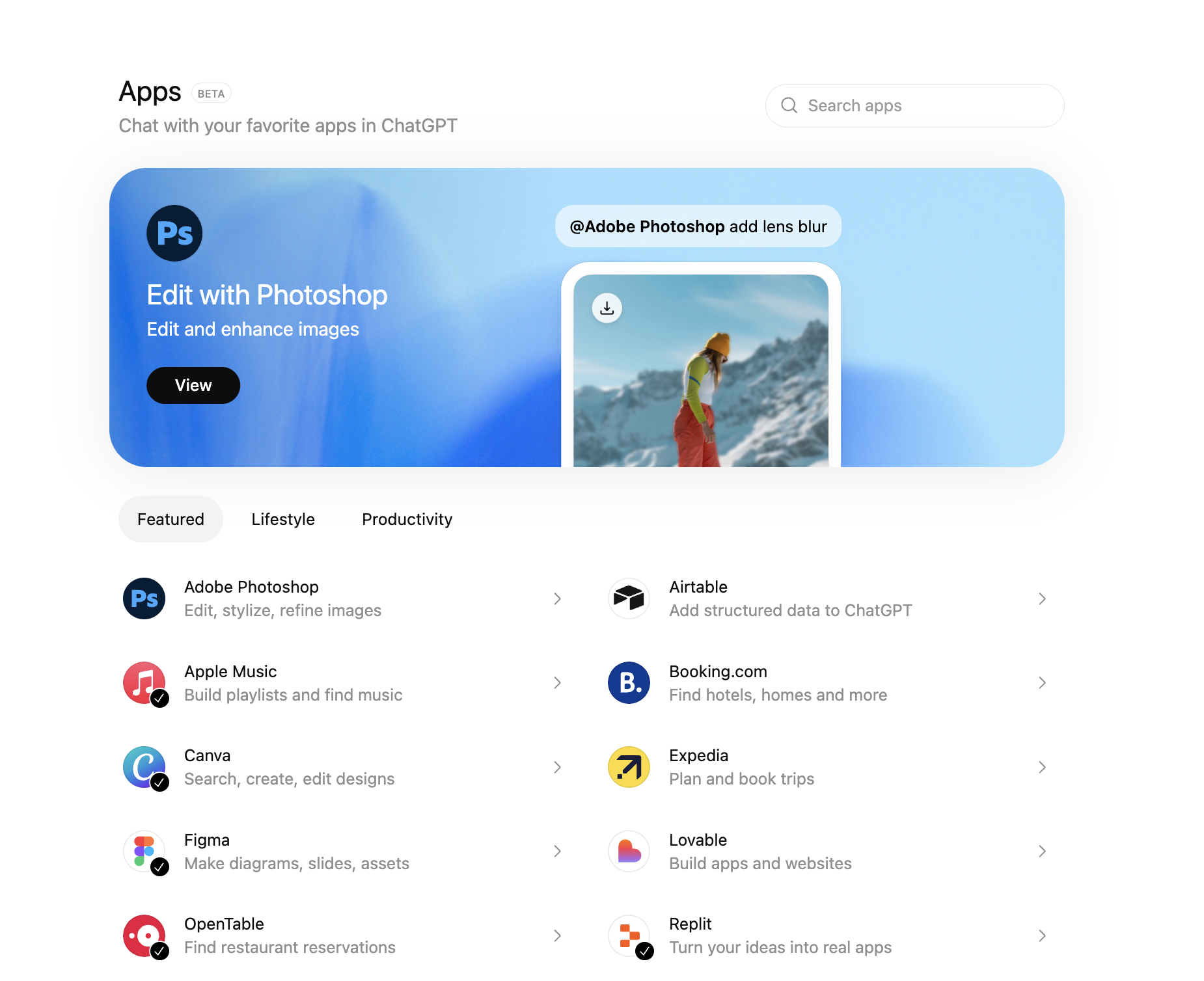
ChatGPT Apps are a new way to bring your product directly into ChatGPT conversations. Instead of users opening your website or mobile app, they interact with your capabilities right inside ChatGPT.
Why should you care? ChatGPT has 800 million weekly active users. That's not a typo—800 million people every week using ChatGPT to get questions answered, discover products, and solve problems. For consumers and businesses alike, ChatGPT has become a go-to destination.
This changes how you should think about building apps. The question isn't just "what does my app do?"—it's "how does my product drive value in a conversation?"
Look at what's already happening:
- Replit lets developers generate prompts they can use directly in their projects—talk about meta-prompting
- Canva lets you create and edit designs through conversation
- Apple Music lets you speak your playlists into existence
- Our FPL App helps lazy fantasy players like me do the tedious research work (I want to top the league, after all)
The key insight: conversation is the starting point, not clicks. Inside ChatGPT, your app is a capability the model can call when it's useful. The "unit of value" isn't your overall experience—it's the specific things you help accomplish at the right moment.
How MCP Servers Work

ChatGPT Apps are built on MCP Servers (Model Context Protocol). MCP is an open specification from Anthropic for connecting LLM clients to external capabilities.
Think of an MCP Server as a bridge between ChatGPT and your data or services. It bundles three things:
| Component | What It Does |
|---|---|
| Tools | Functions the AI can call (fetch data, take actions) |
| Resources | Files or data the AI can access |
| Prompts | Pre-built prompts the client can use |
OpenAI extended MCP with something powerful: UI components. Your tools can return structured data that renders as rich widgets inside the chat. This hybrid of conversation + interactive UI is what makes ChatGPT Apps special.
Our Fantasy Football Example
Let's make this concrete. I'm a fantasy football player—a lazy one. I never remember to do player research, and I'd love ChatGPT to help me out.
Here's my problem: I want an app that finds player information and helps me make the best selections for my team. Breaking this down into capabilities:
- Search players by position, price, form
- View details for individual players
- Compare players side-by-side
Each of these becomes a tool in our MCP server. Each tool returns structured content that renders as a widget. Simple as that.
How Tools Work
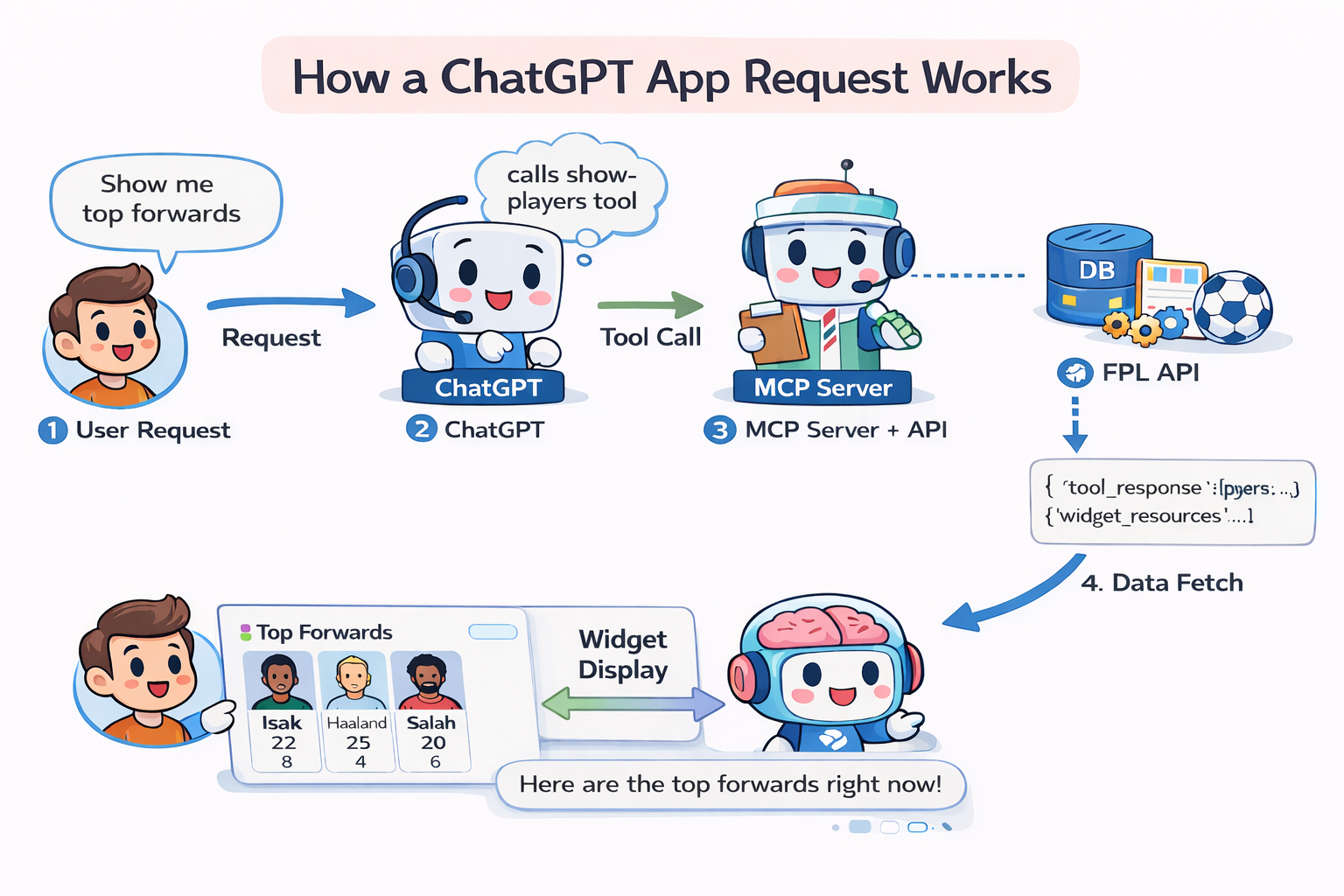
Tools are functions that ChatGPT can call. When a user asks "Show me the top forwards", ChatGPT calls your show-players tool with the right parameters.
Here's the flow:
- User asks a question → "Show me the top 10 forwards by form"
- ChatGPT decides which tool to call →
show-playerswith position="Forward", sort="form" - Your server executes the tool → Fetches data from FPL API
- You return structured data + metadata → JSON with player stats
- ChatGPT renders your widget → Beautiful player cards appear
The magic is in the structured content—the JSON data that your React component will consume. This flows to your widget via the window.openai API.
Explore the tools we built for this app: